Flip and digital faces
Choose a classic flip clock or a clean digital face on the home screen.

Utilities
A calm flip clock for your desk and nightstand.
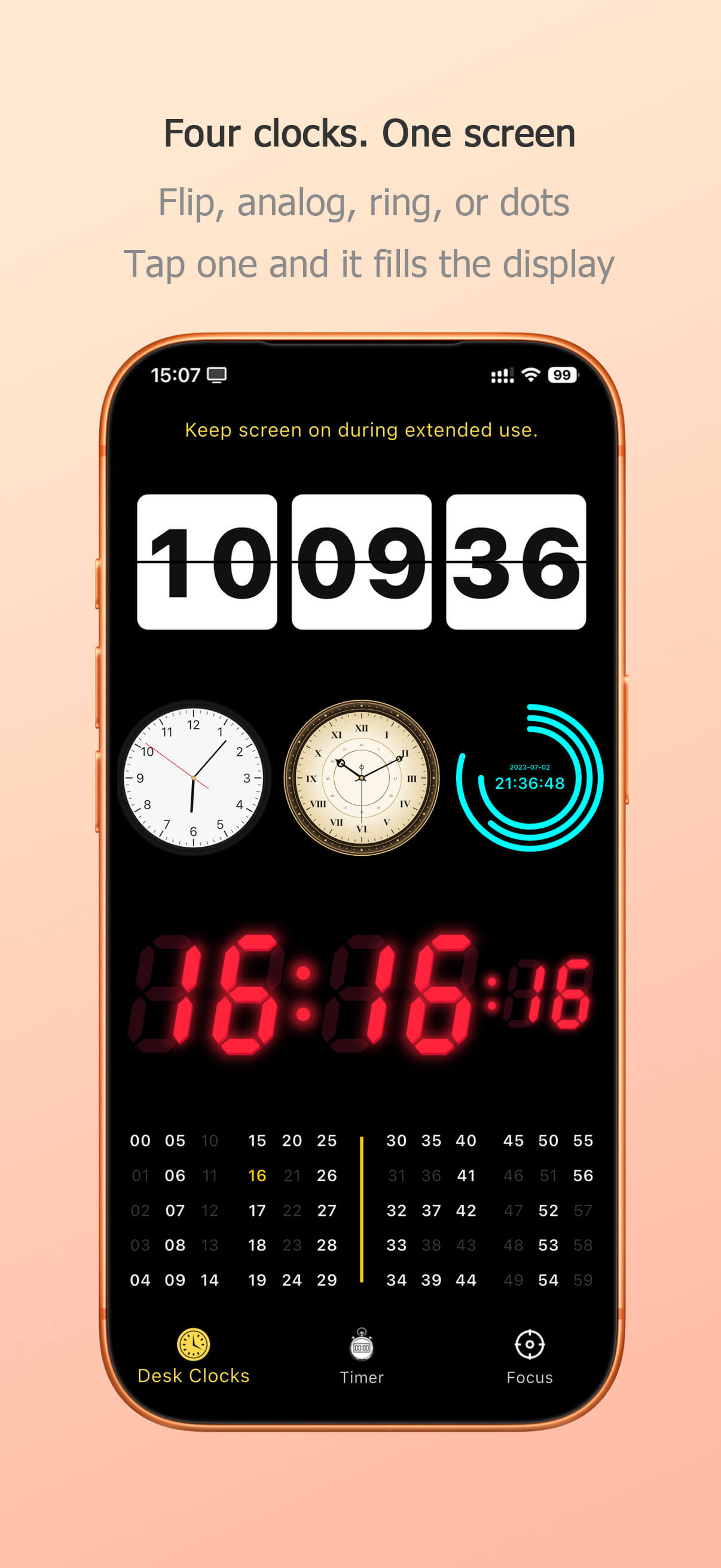
Desk Clocks turns your iPhone into a full-screen clock you can leave on a desk or nightstand.
Six faces, one swipe apart:
Swipe up or down to dim the screen. The display stays awake while a clock is open, then returns to your previous brightness when you leave.
Timers
Focus
No account. The app works offline.
Choose a classic flip clock or a clean digital face on the home screen.
Dim automatically after dark and wake the display with a tap.
Show what you need and hide the rest, with 12/24-hour time.
The screen stays awake while the clock is the active app.
Match the clock to your desk, room or mood.
Designed for repurposed phones and tablets.
Choose the classic flip clock or a clean digital face on the home screen.
Tap the expand icon to enter full-screen mode. The screen stays awake while the clock is visible.
Turn on Nightstand mode to dim the display automatically after dark and wake on a tap.
Switch between 12/24-hour time, pick an accent colour, and show or hide seconds, date.
Yes. In full-screen or Nightstand mode the app keeps the screen awake while it is the active app.
Yes. Desk Clocks is designed for repurposed phones and tablets and runs smoothly on older devices.
Nothing to set — the date follows your device system date automatically.